| |
|

|
|
Help: My Account |
View your order history
Edit your personal information
Changing your password
Forgotten your password?
|
View your order history
You can still view previous orders after you login.
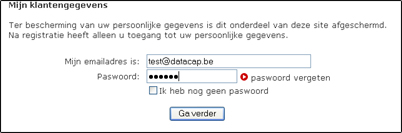
- Click on the link "Previous orders ".
- Log in.
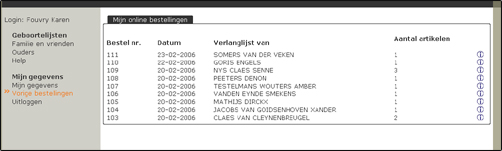
- You get an overview of all your previous orders.
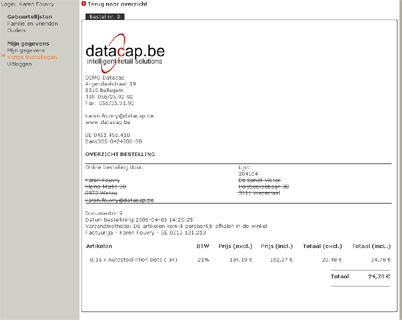
- Click an order to the detail data request.
Haut de la page
|
Edit your personal information
You can view or edit your personal information when you login.
- Click on "My Account ".
- Login.
- Type changes in the appropriate text box.
- Click Save Changes when you are finished. Exit the page if you do not want your changes to take effect.
Haut de la page
|
Changing your password
You can change your password at any time you login.
- Click on "My Account ".
- Login.
- Enter the new password in the field "New Password ".
- Enter the password again in the skin 'Repeat the password ".
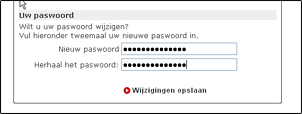
- Click "Save Changes " already finished. Exit the page if you do not want your changes to take effect.
Tip: Write down the password and keep it well. You need it if the next time you want to buy gifts on an online wish lists.
Haut de la page
|
Forgotten your password?
If you have forgotten your password, you can simply request a new password.
- Click on the link "My Account ", "recent orders " or "Log out ".
- Click on the login page at "Forgot Password ".
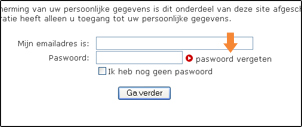
- Enter your email address and click the "Send ".
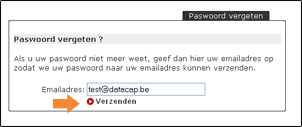
- By email you will receive a new password so you can login.
Haut de la page
|
You still have not found what you are looking for? Please contact 056/43.09.43. |
|
|
|
|
|