| |
|

|
|
Help: Family and friends |
wedding list online mini site
For the first time an online wedding list (mini-site) View/Open
For the first time a photo album
|
wedding list online mini site
Haut de la page
|
For the first time an online wedding list (mini-site) View/Open
2 possibilities:
The wedding list is password protected
The password that is necessary for the opening wedding list is available at the newlyweds. It is also possible that the data for the opening wedding list listed on your invitation.
- In the main screen, click on the link "Family and friends ".
- Enter a search term to find the right opening wedding list.
You can search by:
- List number: this number can be obtained from the newlyweds.
- Name of the newlyweds
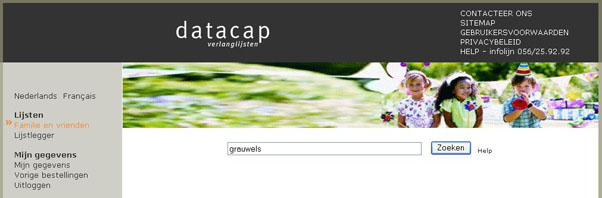
- Click the "Search ".
- The result of the search appears on the screen.
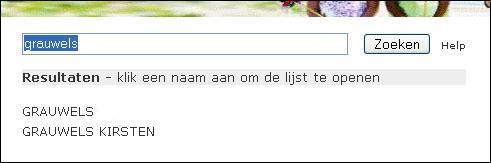
- Click on desired wedding list.
- In the next screen, the password on.
Note that the password is case sensitive. Eg.: Netbase is not equal to netbase.
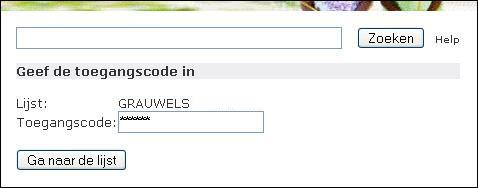
- Click the "Go to the wedding list ".
The wedding list is no password to open
- In the main screen, click on the link "Family and friends ".
- Enter a search term to find the right opening wedding list.
You can search by:
- List number: this number can be obtained from the newlyweds.
- Name of the newlyweds
- Click the "Search ".
- The result of the search appears on the screen.
- Click the desired wedding list.
- The wedding list is opened.
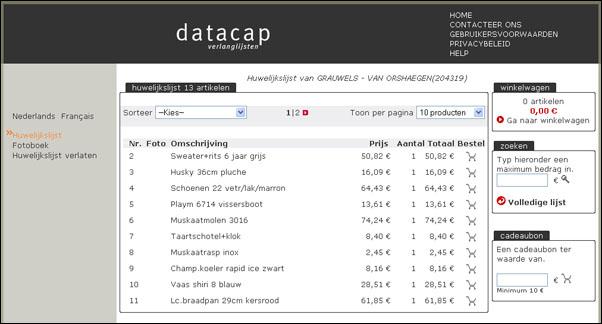
Haut de la page
|
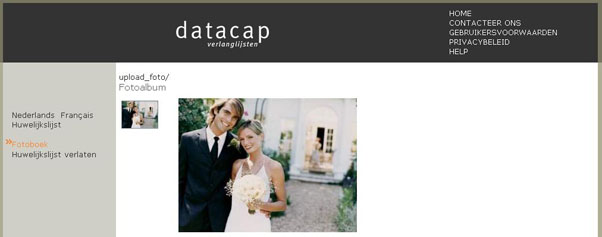
For the first time a photo album
- Visit the mini site.
- Click the mini-website on the link "album ".
- If the newlyweds photos added to the photo album, you can view the pictures.
Haut de la page
|
You still have not found what you are looking for? Please contact 056/43.09.43.
|
|
|
|
|
|