| |
|

|
|
Help: An order of locations |
How to Buy
Find
Cart
Login
A personal message
Transmission
Payment
Order Summary View
Cancel Order
|
How to Buy
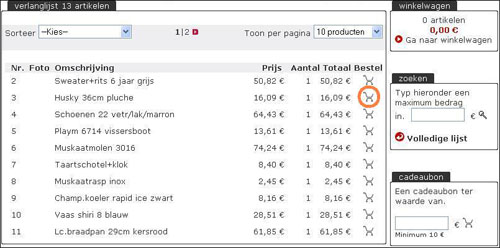
You can order your favorite gifts from the list in the desired line on the shopping cart button.
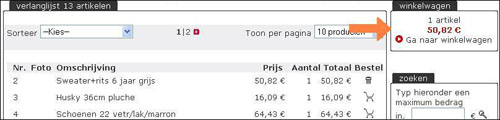
Top right of the screen allows you to track how many items your cart contains and what the total price.
Haut de la page
|
Find
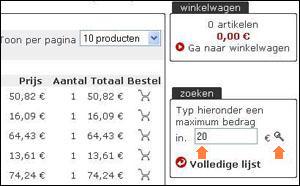
To search for the ideal gift easy to proceed, there is a search feature that all gifts below a certain price shows.
- Enter the desired amount in the context "Search ".
- Click the magnifying glass.
- You get a list of all items that meet the search
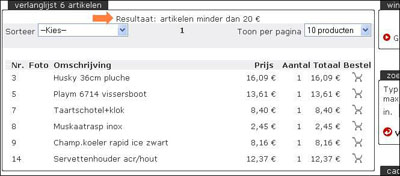
Additionally, you can also list alphabetically or by price sort.
Haut de la page
|
Cart
Your orders will be collected in your shopping cart while you shop at the online wish list.
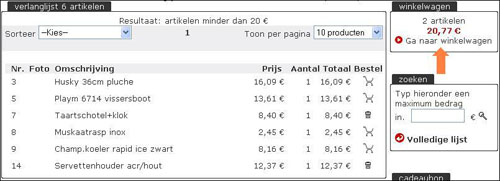
You can at any time the orders in your cart View by "go to cart " button in the screen with the wish list.
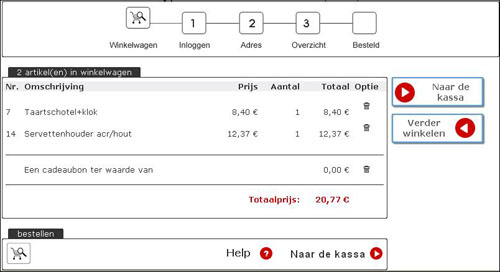
It is possible to remove items from your cart, or change. Your shopping cart shows the unit price and the total price of your chosen items.
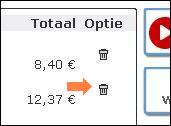
To remove items from the cart, you must at the end of the row on the dustbin clicks.
When you have finished shopping, click the button "go to checkout ". Then you through the following steps.
Haut de la page
|
Login
To order a gift online on a list you must first login.
2 possibilities:
This is the first time you ordered an online gift.
- Choose "I'm new - I will soon make a password to ".
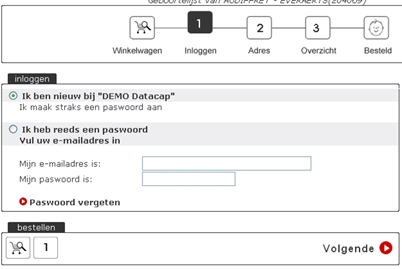
- Click "Next ".
- In the next screen, if you have a loyalty card offers, your customer number and zip code. Dot 'no, I have no account number "if you do not have a customer number.
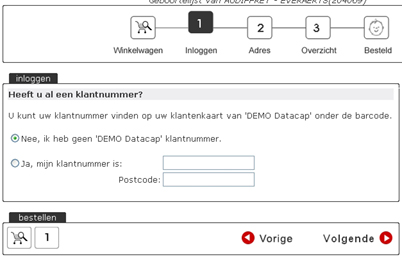
- Click the button "Next " to.
- Fill in your details. If you already have a loyalty card offers, your address from our system retrieved and you only need your email address and a password to give.
- Continue the order process to finalize your order.
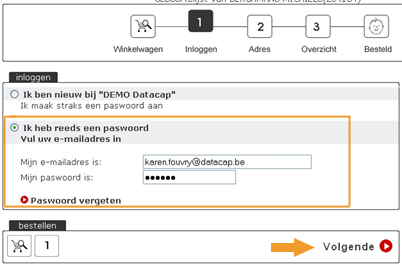
You already have a password.
- Enter your email address and password on.
- Click "Next ".
Haut de la page
|
A personal message
If you order a gift online on a wish list you can create a short personal message for the proud parents to send
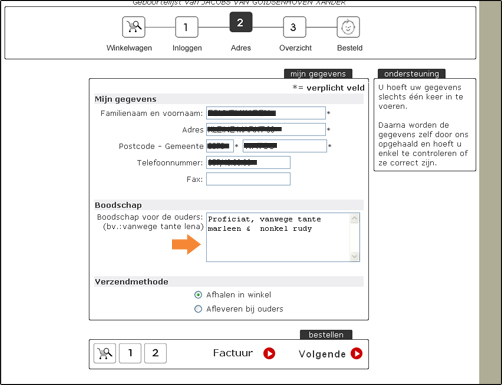
So you send a personal message along:
- Start with the ordering process.
- Enter a personal message in the field "Message " among you personally
Haut de la page
|
Transmission
During the ordering process you can choose how the ordered gifts to the parents supplied.
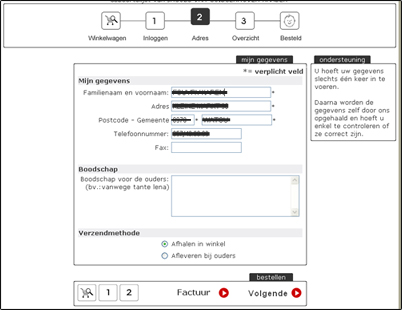
Possibilities
- The shop delivers the gifts directly to the parents after we receive your payment. There is no extra costs will be charged.
- You will collect the ordered gifts in our shop during opening hours.
Haut de la page
|
Payment
All orders expired, on the basis of an invoice.
Haut de la page
|
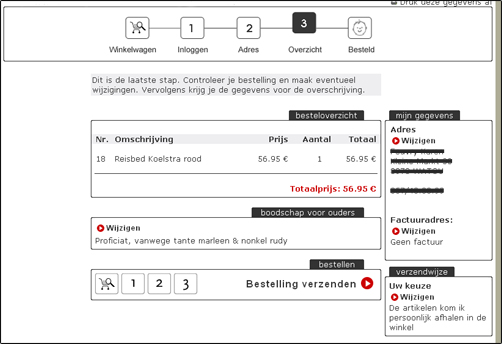
Order Summary View
You are automatically on the summary page when you have entered your details and shipping method selected.
See the order summary and verify all information thoroughly.
Click the "send order " when you're ready to complete your order. You will receive within 48 hours after ordering a confirmation email with a summary and payment instructions.
Haut de la page
|
Cancel Order
If you wish to cancel your order please e-mail or phone to contact our customer service.
Haut de la page
|
You still have not found what you are looking for? Please contact 056/60 86 89.
|
|
|
|
|
|


