| |
|

|
|
Help: Parent |
If you have a birth list at Europoint bvba constructs, we offer you the opportunity to care for your baby a free mini-site to create In this mini-site can besides consulting which articles are sold, post photos and create an online birth announcement.
|
For the first time the opening module list founder
An online birth Creating / Changing
Add photos to the gallery
Convert photos to a valid file?
Remove photos from the gallery
What is already sold on the birth list
What else is available
List of Buyers
|
For the first time the opening module list founder
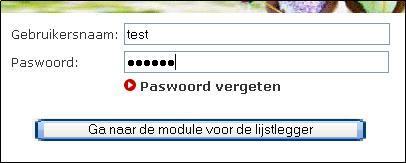
- Click in the main on the link "List Submitter ".
- Enter the username and password that you've received at the construction of your birth list at Europoint bvba.
Note: The username and password are case sensitive.
eg: netbase is not equal to netbase.
- Click the "Go to the module for the list founder ".
Haut de la page
|
Online birth Creating / Changing
- Go to your module list founder (help -> for the first time the module list founder open)
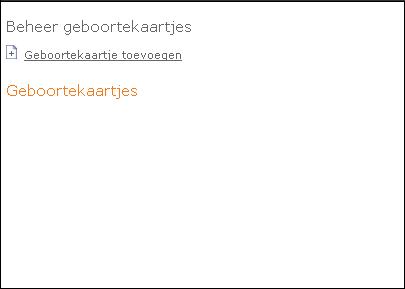
- Click in the module list founder on the link "Birth ".
- To add a card click on the link "Birth Add ".
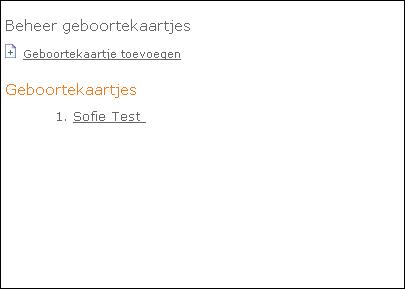
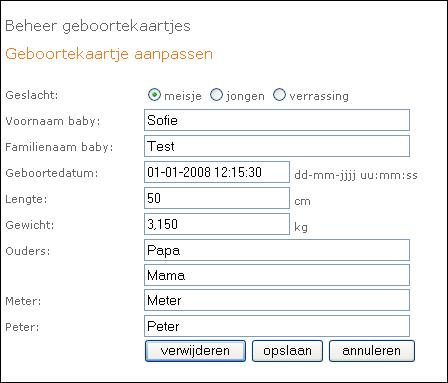
- In order to adjust a ticket click on the link with the name of your child.
- Click the "Save " when finished. Click "Cancel " if you do not want the changes to take effect.
Haut de la page
|
Add photos to the gallery
- Go to your module list founder.
- Click in the module list founder on the link "album ".
- Click on the link "Add Photo ".
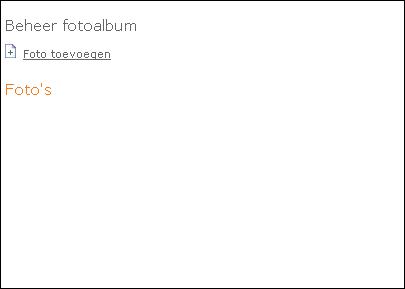
- Click "Browse ".
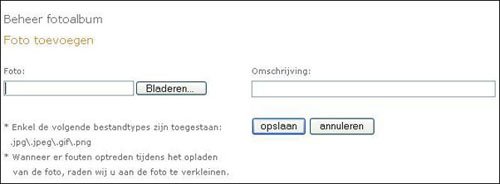
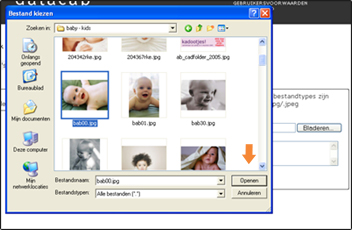
- Select the desired photo and click "Open ".
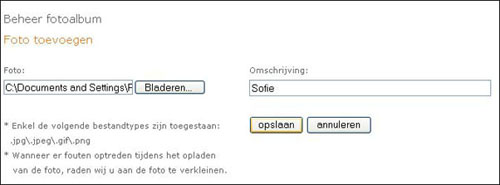
- Enter the desired comment on when your photo.
- Click the "Save " to the photo in your photo album to record.
Did you know: you must convert photos POISON files (. poison) or JPG files (. jpg,. jpeg) before you can add to your photo album.
Did you know: a few seconds to a few minutes before uploading any photographs ready. The duration depends on the speed of your Internet connection and the file size of the picture. It takes about 2-3 minutes to
Haut de la page
|
Convert photos to a valid file
Make sure all photos are saved as JPEG files (. Jpg,. Jpeg) or POISON files before you upload from your local drive to your photo album. If your photos do not JPEG-indeling/GIF-indeling are stored, you can convert with editing software. Common applications include:
- Adobe Photoshop (Professional)
- PhotoDeluxe (Consumer)
- Jasc's PaintShop Pro
- MGI PhotoSuite II
Haut de la page
|
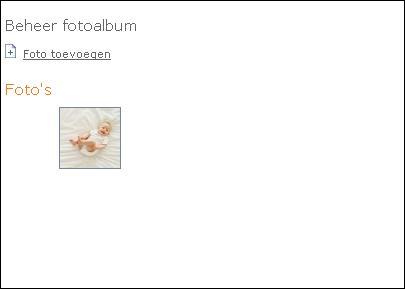
Remove photos from the gallery
- Go to your module list founder.
- Click in the module list founder on the link "album ".
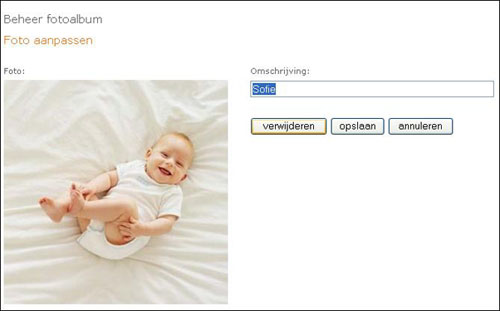
- Click on the desired photo.
- Click "Remove ".
Haut de la page
|
What is already sold on the birth list
parents have the ability to purchase their birth list advice.
- Go to your module list founder.
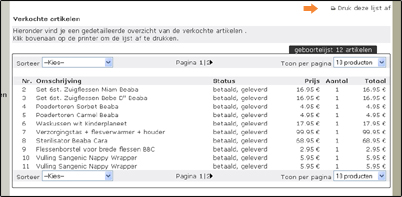
- Click in the module list founder on the link "Sold items ".
- You get a handy overview of all sold & ordered articles on your birth list
- Top right of the screen you will have the option to print this list.
Haut de la page
|
What else is available?
- Go to your module list founder.
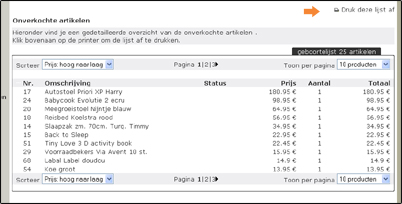
- Click in the module list founder on the link "Unsold items ".
- You get a handy overview of all items on your list that have not been sold.
- Top right of the screen you will have the option to print this list.
Haut de la page
|
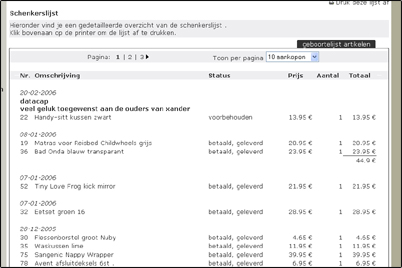
List of Buyers
- Go to your module list founder.
- Click in the module list founder on the link "Schenker List ".
- You get an overview of all items sold with the name of the donor and possibly a personal message.
- Top right of the screen you will have the option to print this list.
Haut de la page
|
You still have not found what you are looking for? Please contact 056/60 86 89.
|
|
|
|
|
|


